1
Set up classes
Connect year groups, teachers, faculties, terms and practical lesson periods.

The Hub connects the full practical teaching workflow—from timetables and recipe bookings through to ingredients, stock, shopping, student alerts and reporting—so teachers and support teams can work from the same information.
Each part of The Hub feeds the next, reducing duplicated entry and giving staff a clearer view of what needs to happen.
Connect year groups, teachers, faculties, terms and practical lesson periods.
Add practical, demonstration, service and assessment bookings to the weekly kitchen schedule.
Use recipe quantities, custom units, density conversions and group sizes to calculate requirements.
Compare what should be on hand with projected use across the selected date range.
Produce shopping lists, recipe cards, weekly plans and term preparation sheets.
The product visuals below use sample information and reflect the core workflows available across The Hub.
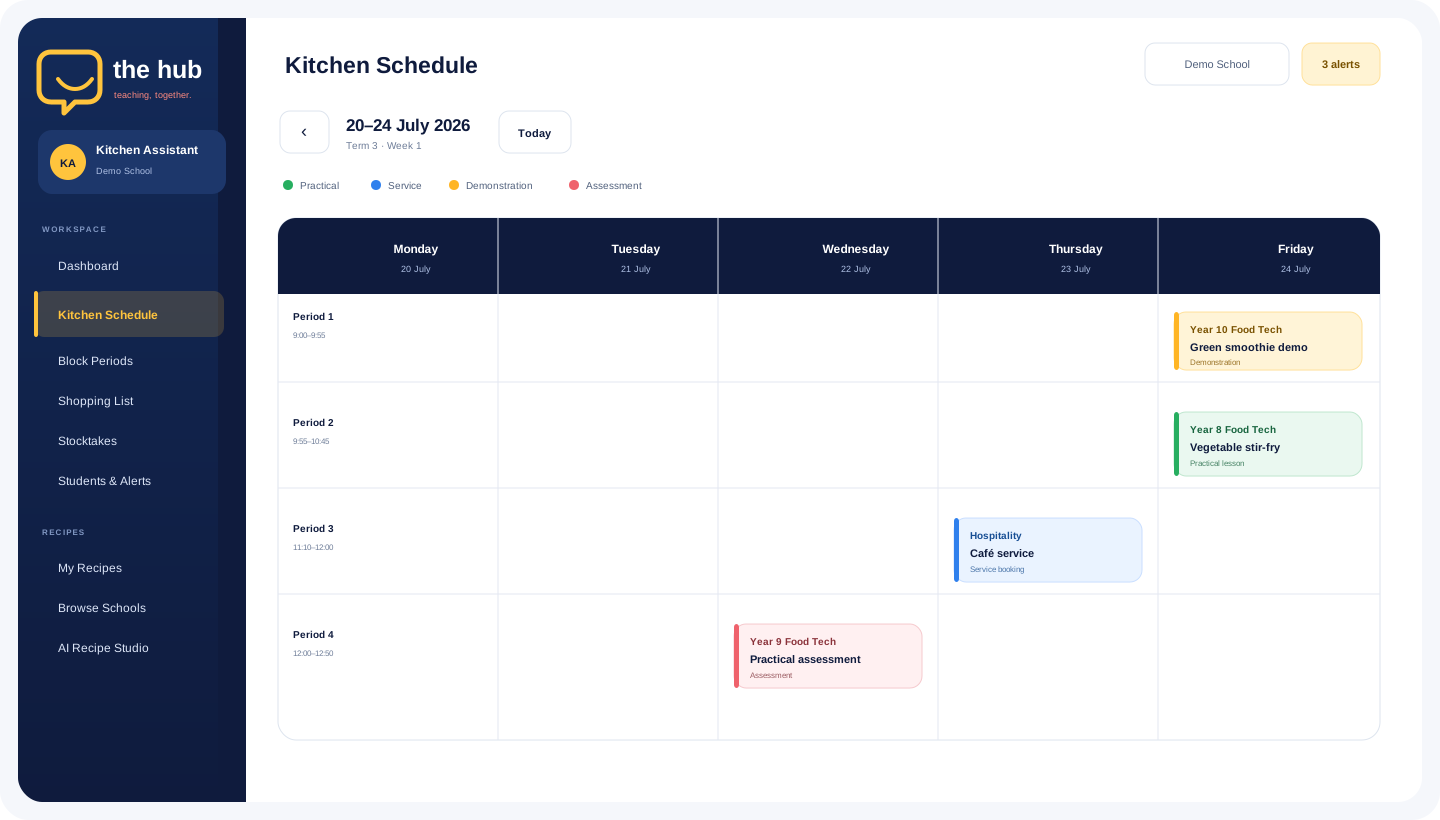
The schedule brings periods, lesson types, bookings and blocked times together, with week and term printing available from the same workspace.
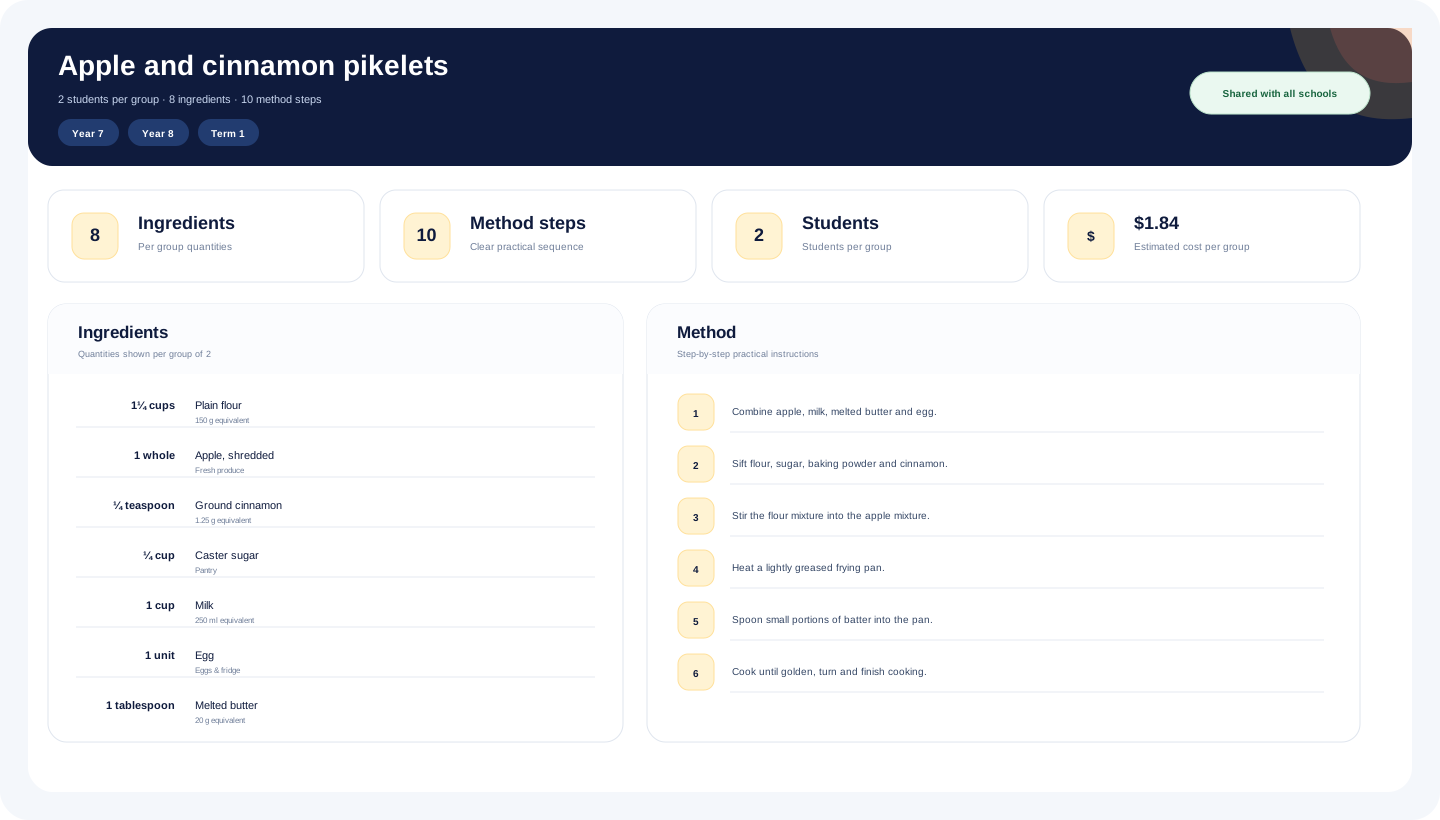
Recipes carry group sizes, year levels, terms, ingredients, conversions, equipment, methods and estimated costs. Schools can also preview shared recipes and use a request-and-approval workflow before copying them.
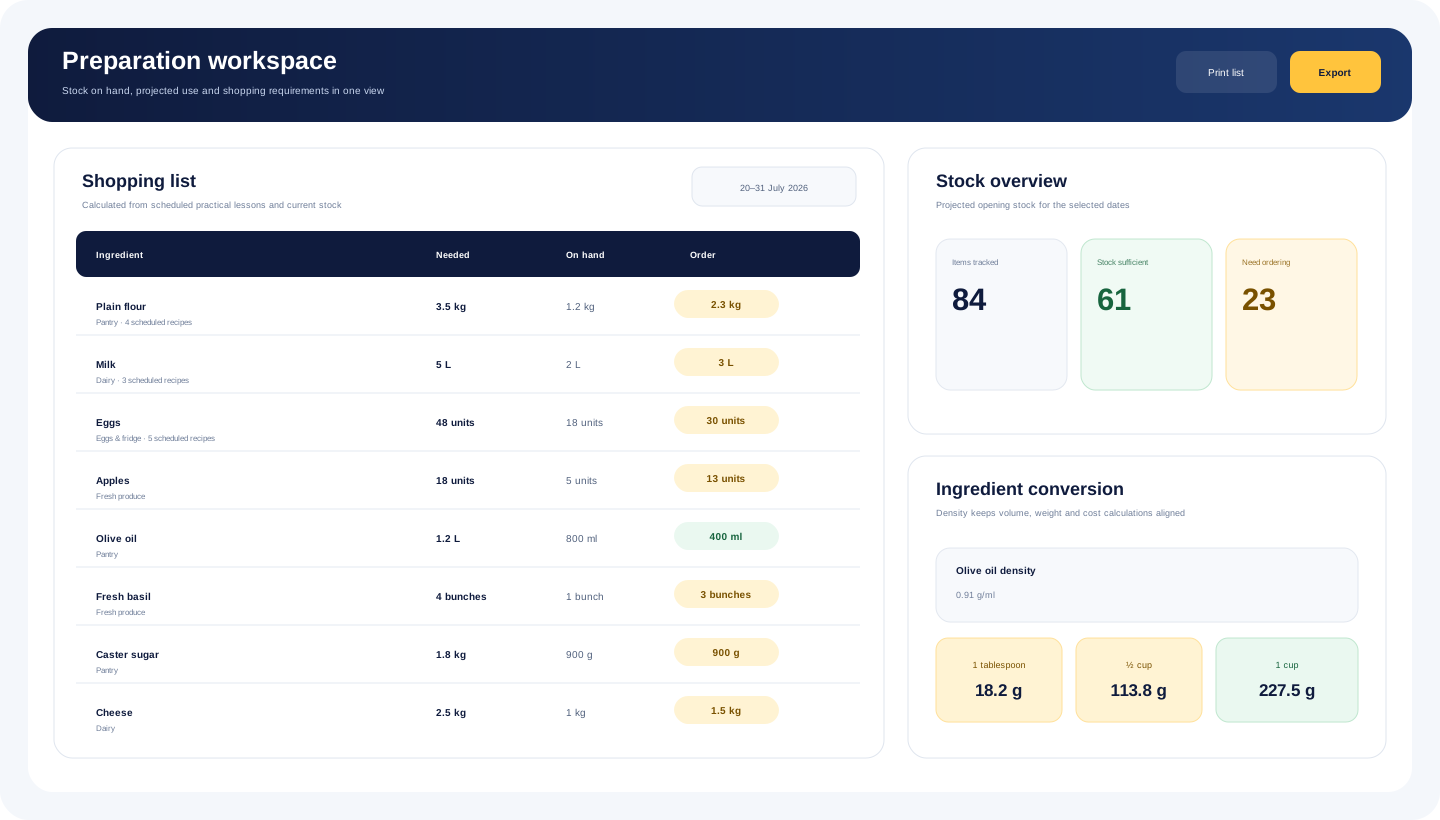
Shopping and stock tools combine scheduled use, stocktakes and ingredient data so staff can see what should be available and what still needs to be ordered.
The Hub is designed to reduce fragmented spreadsheets, printed notes and duplicated administration across a practical teaching faculty.
Plan practical lessons, demonstrations, services, assessments and blocked periods across the school week.
Build, print, share and copy recipes with clear quantities, methods, equipment, year groups and term filters.
Maintain categories, custom units, density values, weight and volume conversions, options and current pricing.
Compare projected use with stock on hand and produce combined shopping requirements for selected dates.
Give teachers, Head Teachers, Kitchen Assistants and administrators access suited to their responsibilities.
Surface relevant student and medical alerts to authorised roles during planning and preparation.
Review booking activity, preparation needs and operational data through role-aware reports and summaries.
Produce branded recipe cards, weekly schedules, term plans, shopping lists and preparation sheets.
The Hub uses role-aware access so staff see the workflows they need without turning every user into an administrator.
huddl develops practical digital tools that help school teams bring planning, shared information and everyday responsibilities into a clearer working environment.
The goal is not to add another disconnected platform. It is to connect the tasks staff are already completing and make the next action easier to understand.
Sign in to The Hub to access your school’s practical teaching schedule, recipes, stock and preparation tools.